Stitching orders
Every stitching order, on time and in one place.
Each order has its due date, design photos, karigar and payment in one screen, so nothing is late or lost.
14-day free trial No card neededQuestions? WhatsApp us
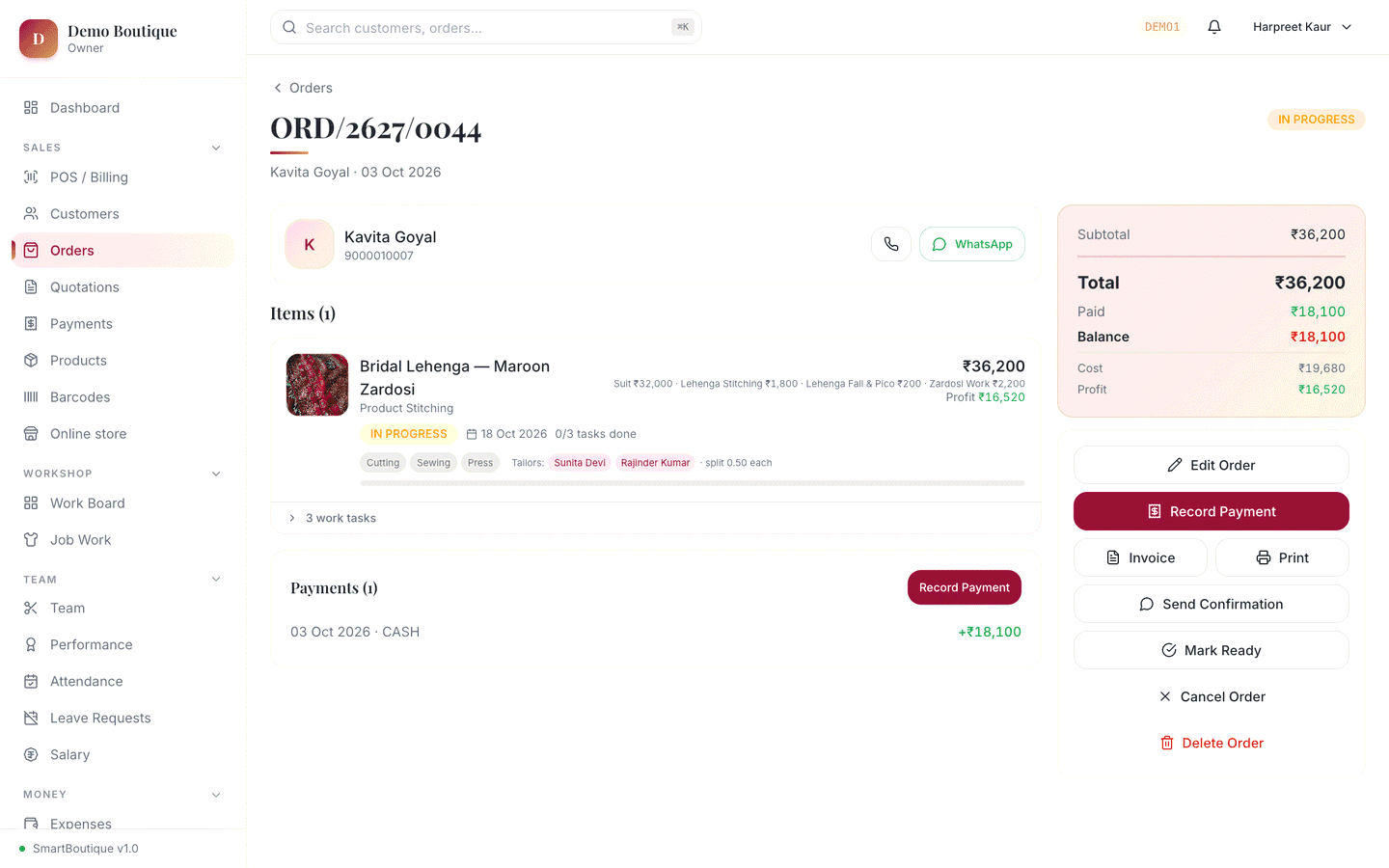
Stitching orders
What you can do
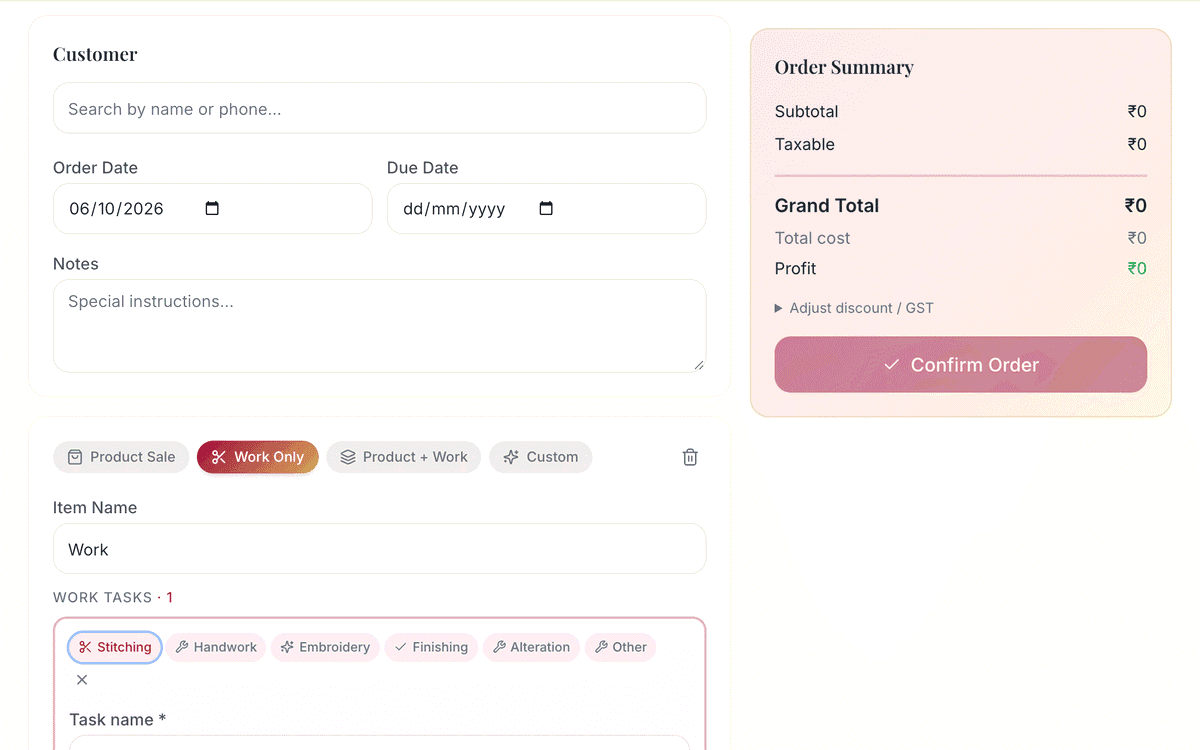
Any kind of work in one order
Readymade sale, stitching on the customer's own fabric, a suit with stitching, or fully custom work. Add many items to one order.
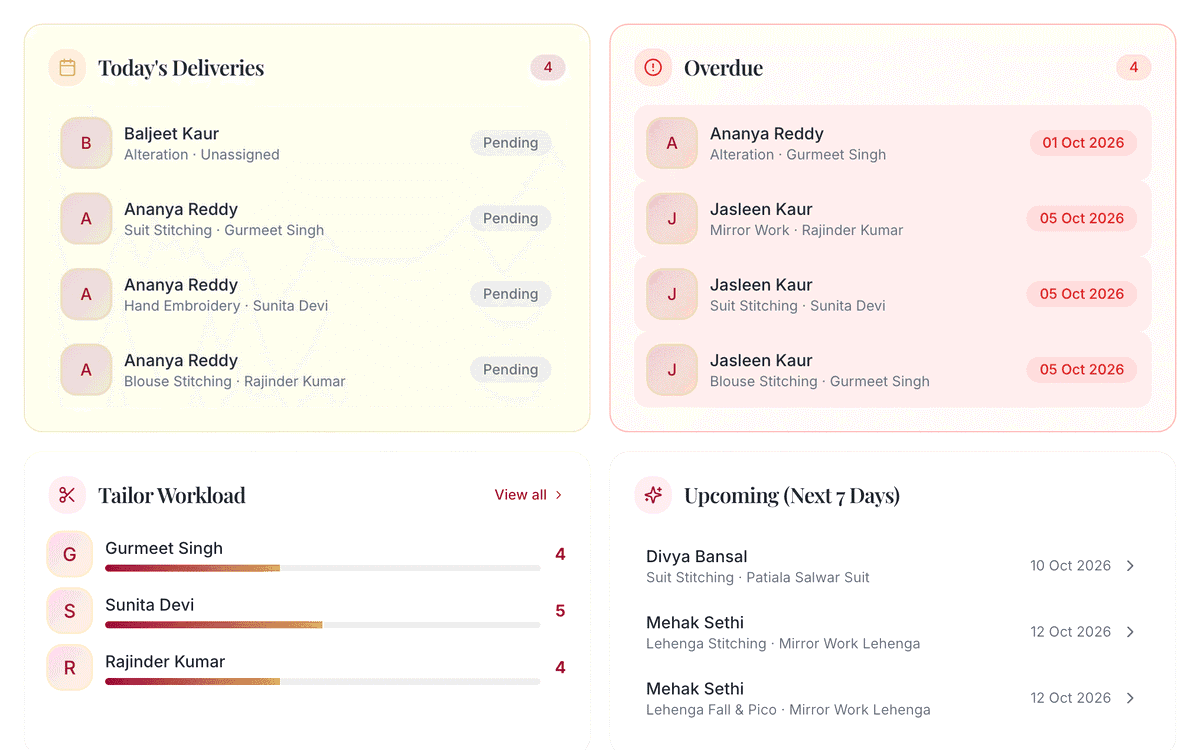
Due dates you can see
Set a due date for the order and for each item. The dashboard shows what is pending, due soon and overdue.
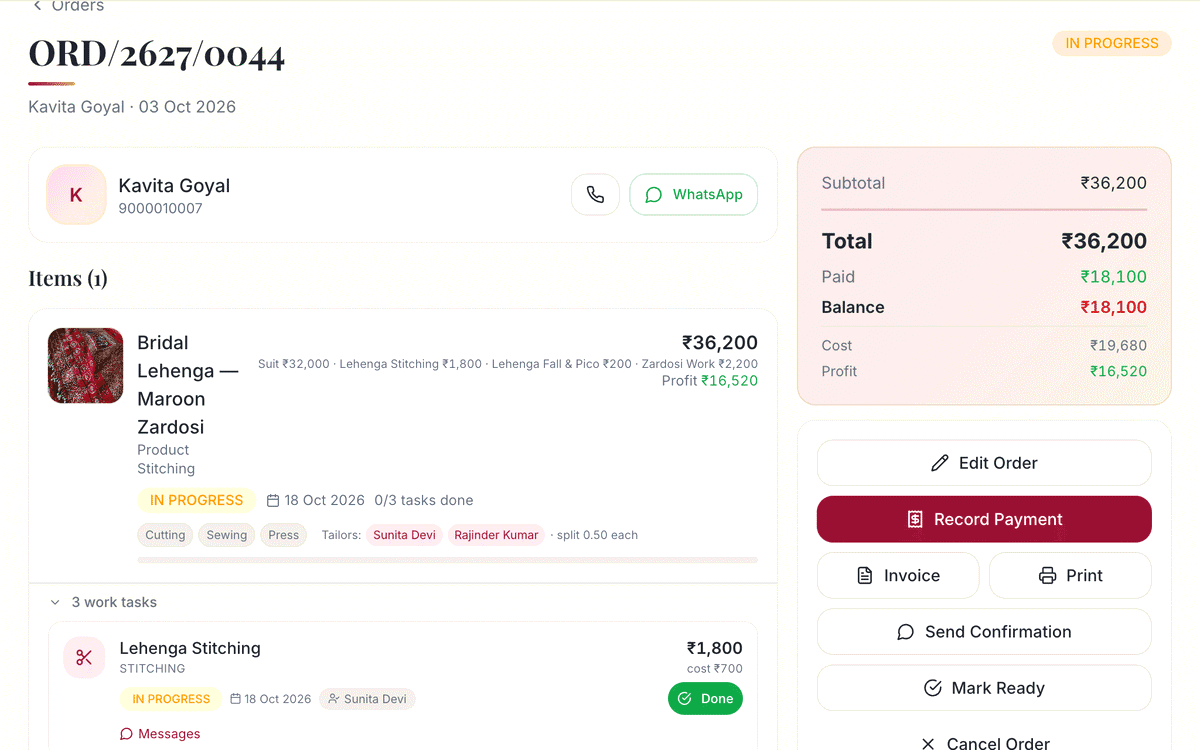
Design photo, voice note or video
Add the design photo to each item, and explain the work with a photo, voice note or short video. The karigar sees it on their phone.
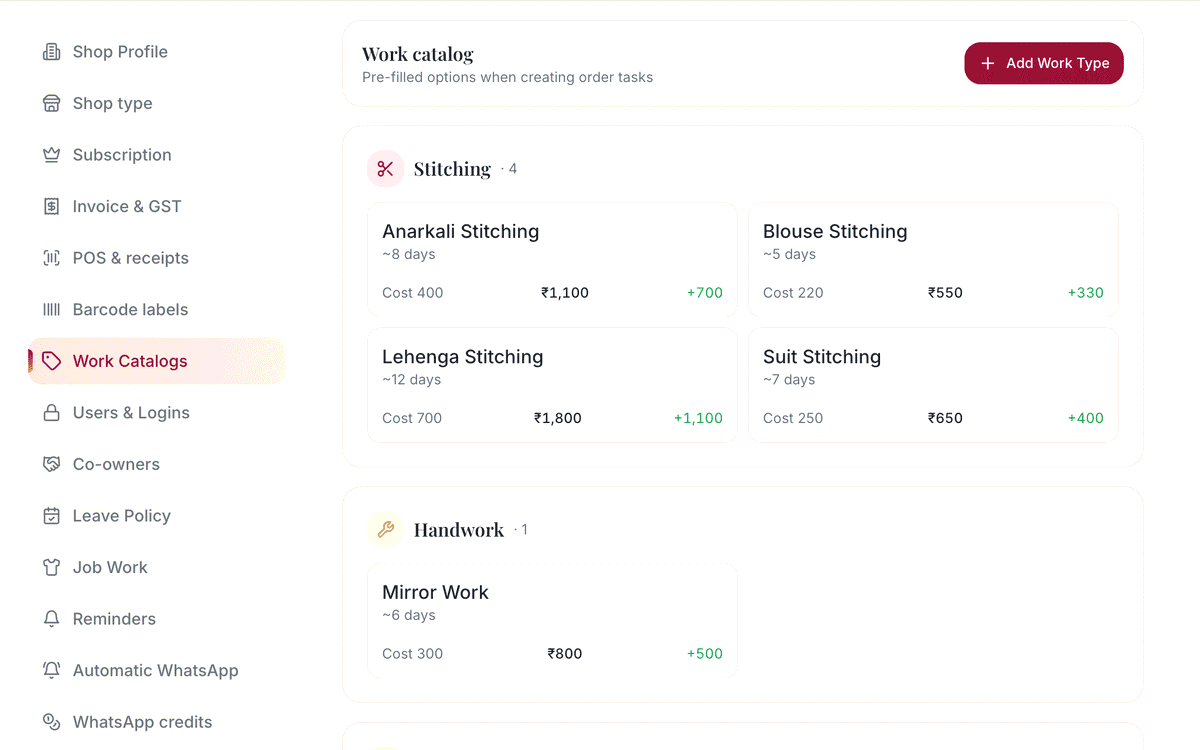
Work split into tasks
Stitching, handwork, embroidery, finishing or alteration. Give each task to a karigar with its own charge and due date.
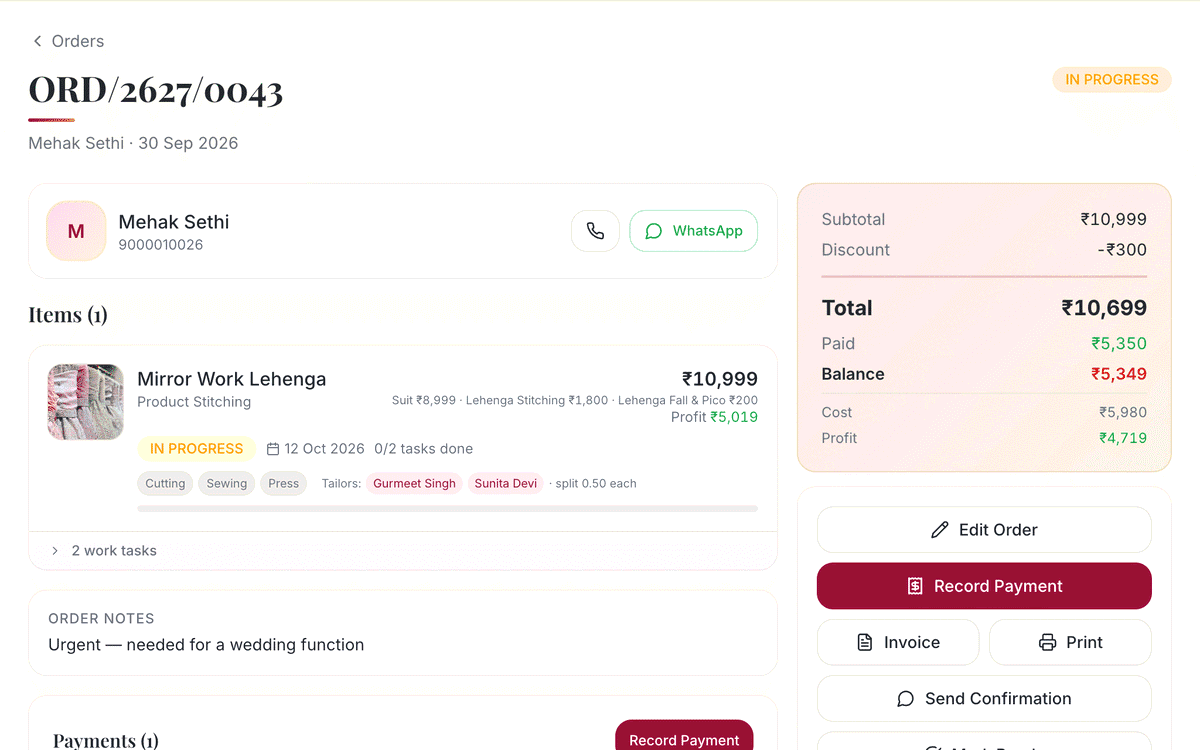
Advance and balance
Record the advance against the order. The rest stays on the customer's khata until delivery.
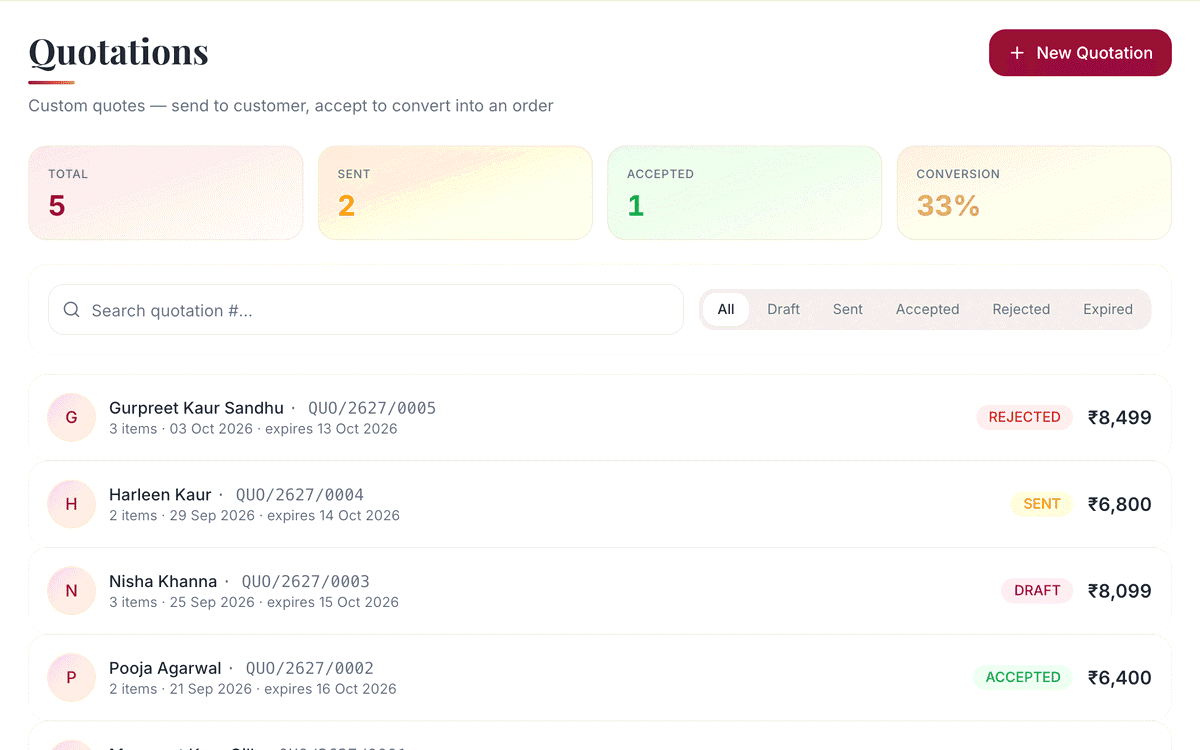 Pro & Enterprise
Quotation first, order later
Send a price quote as a PDF or link on WhatsApp. When the customer says yes, turn it into an order in one tap.
How it flows
How an order flows
From the counter to the customer's hands, every step is recorded.
- 1
Create the order
Pick the customer, add items, due date and design photos.
- 2
Assign the karigar
Give each task to a tailor. It shows up on their phone.
- 3
Cut, Sew, Press
The karigar taps each step as it is done. You see live progress.
- 4
Mark ready
One tap marks the order ready for pickup.
- 5
WhatsApp sent
The customer gets an 'order ready' message with the balance due.
Which plan has it
Plans and availability
Stitching orders
Included in every plan, at no extra cost. Your 14-day free trial has everything switched on.
- Quotation first, order laterPro & Enterprise
Common questions
Never miss a delivery date again
14 days with every feature switched on. No card needed. Set up your shop in a few minutes, and we're on WhatsApp if you need a hand.