Measurements
No more lost measurement slips.
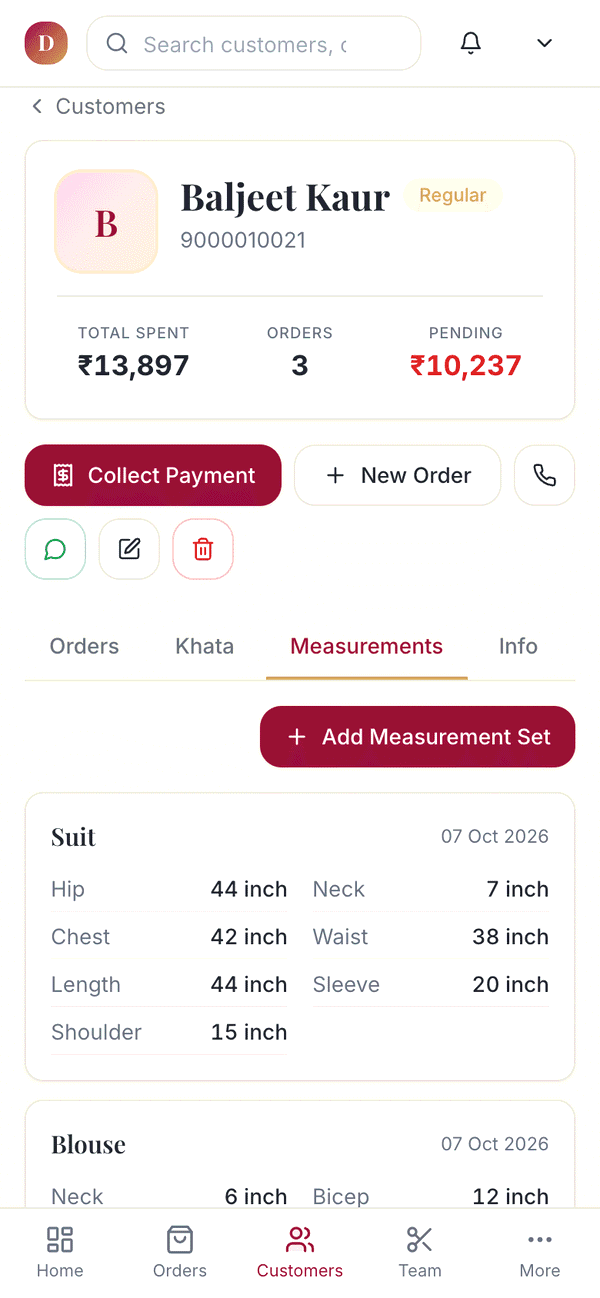
Save each customer's measurements once. Type their phone number next time and they are on screen.
14-day free trial No card neededQuestions? WhatsApp us
Measurements
What you can do
Ready templates
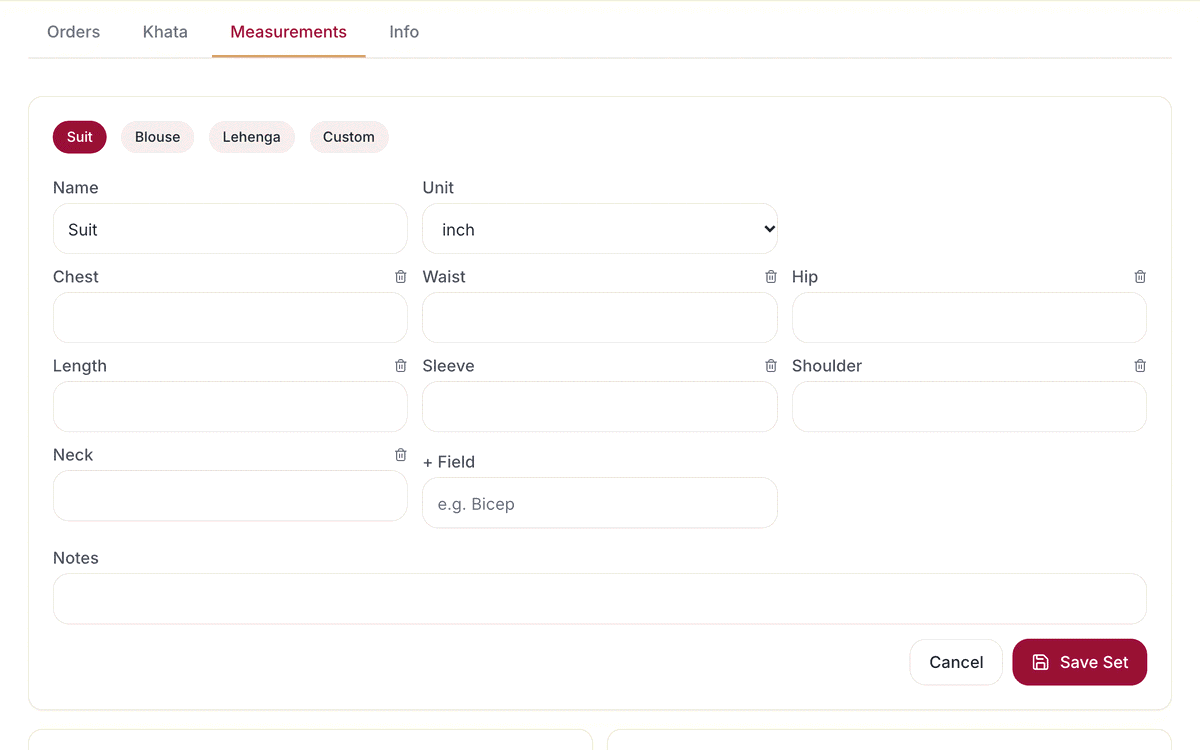
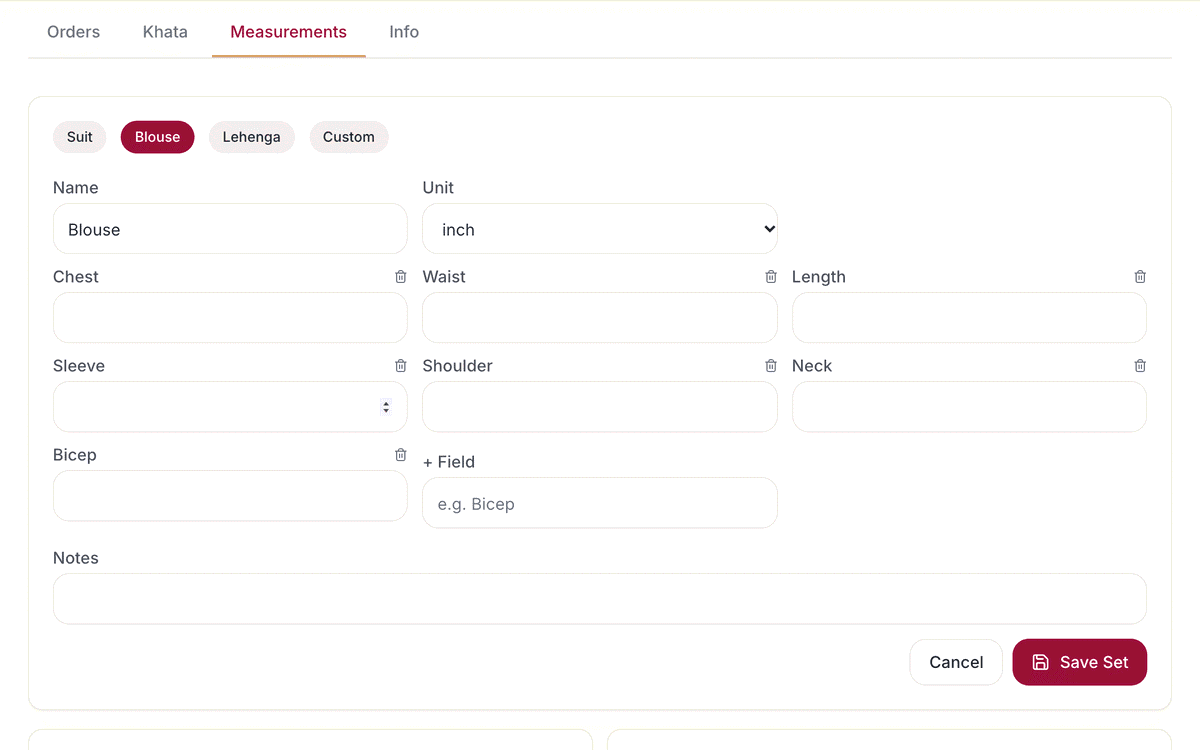
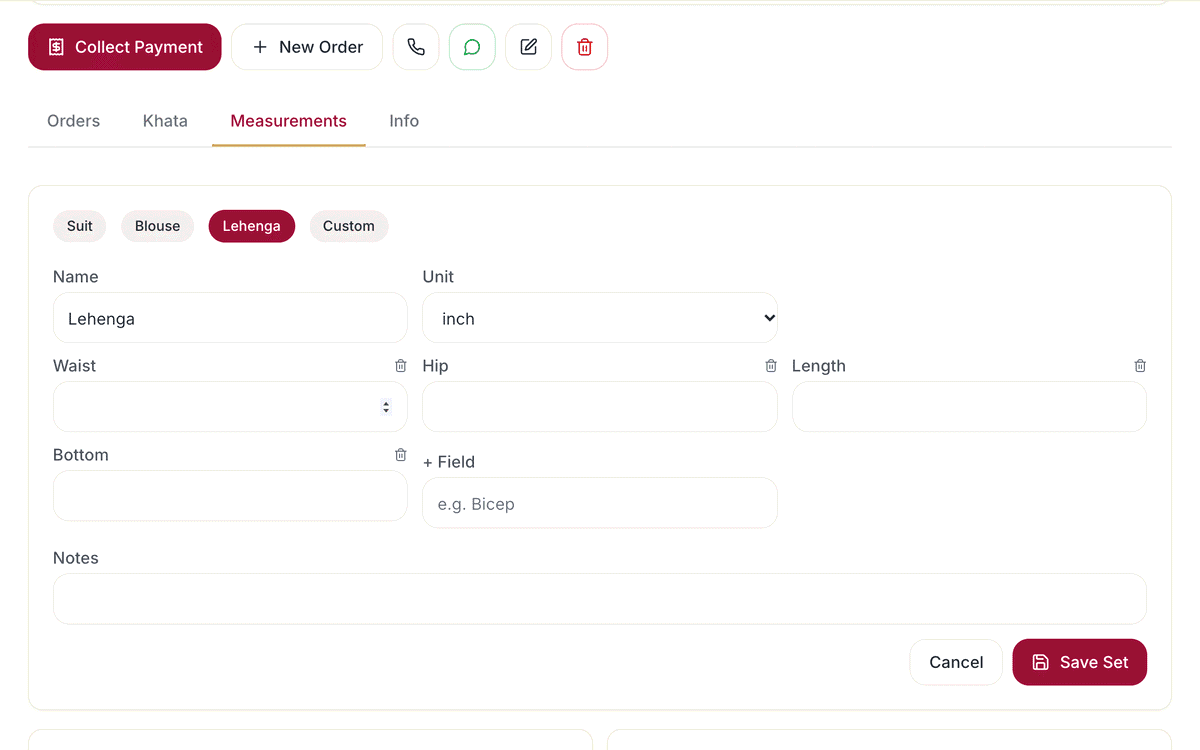
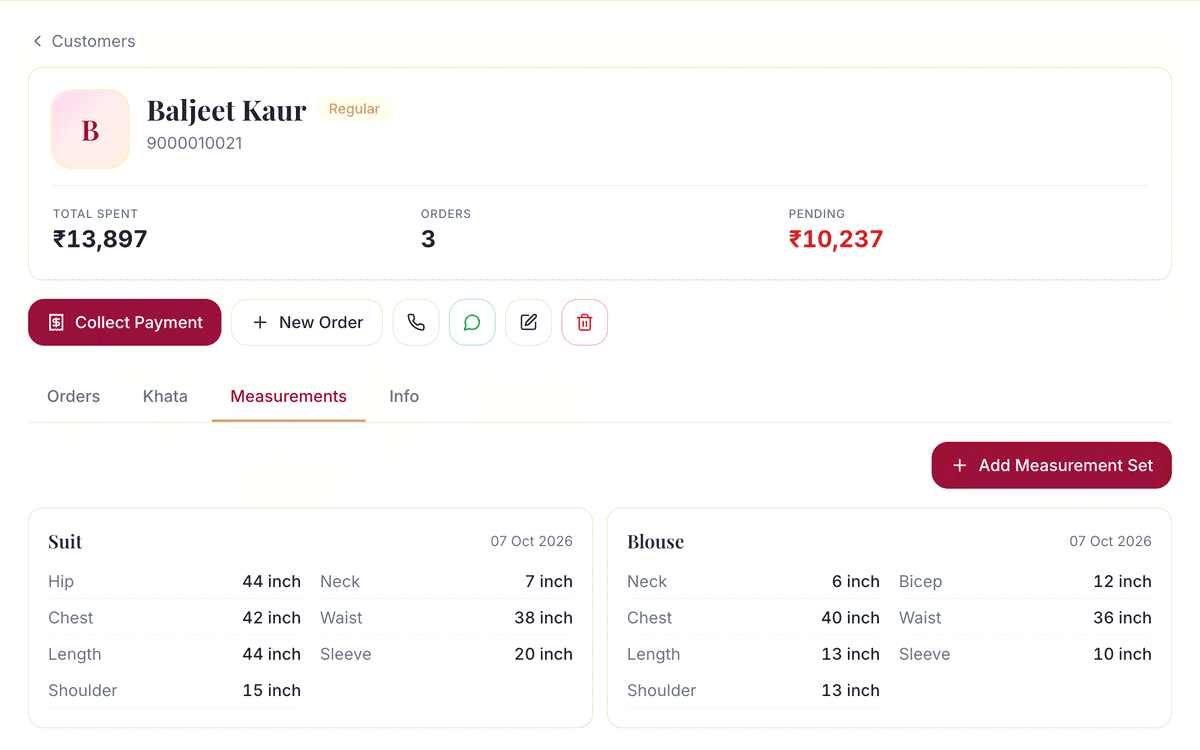
Start from Suit, Blouse or Lehenga with the usual fields filled in: chest, waist, hip, length, sleeve, shoulder, neck and more.
Your own fields and names
Add any field you need, like bicep or armhole, remove what you don't use, and name the set anything: Kurti, Sherwani, Gown.
Inches or centimetres
Choose inch or cm for each set, so every karigar reads the numbers the same way.
Notes with every set
Write things like 'loose fitting' or 'deep back neck' next to the numbers.
Find by phone number
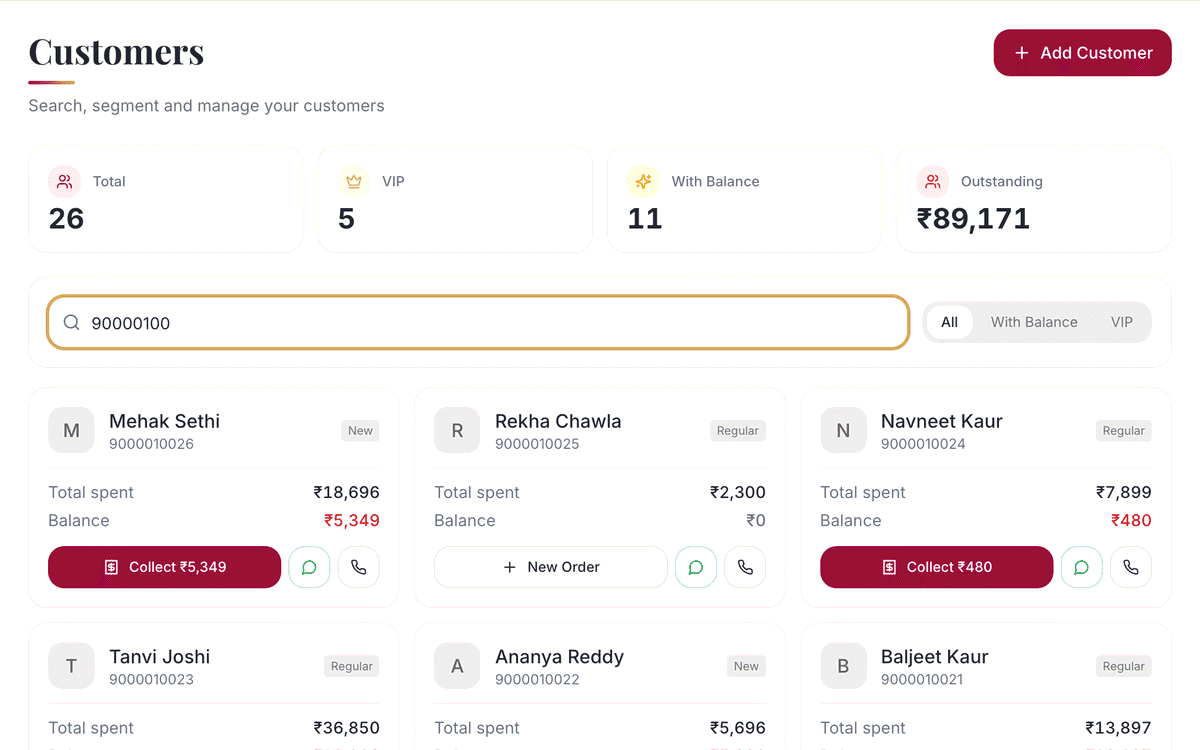
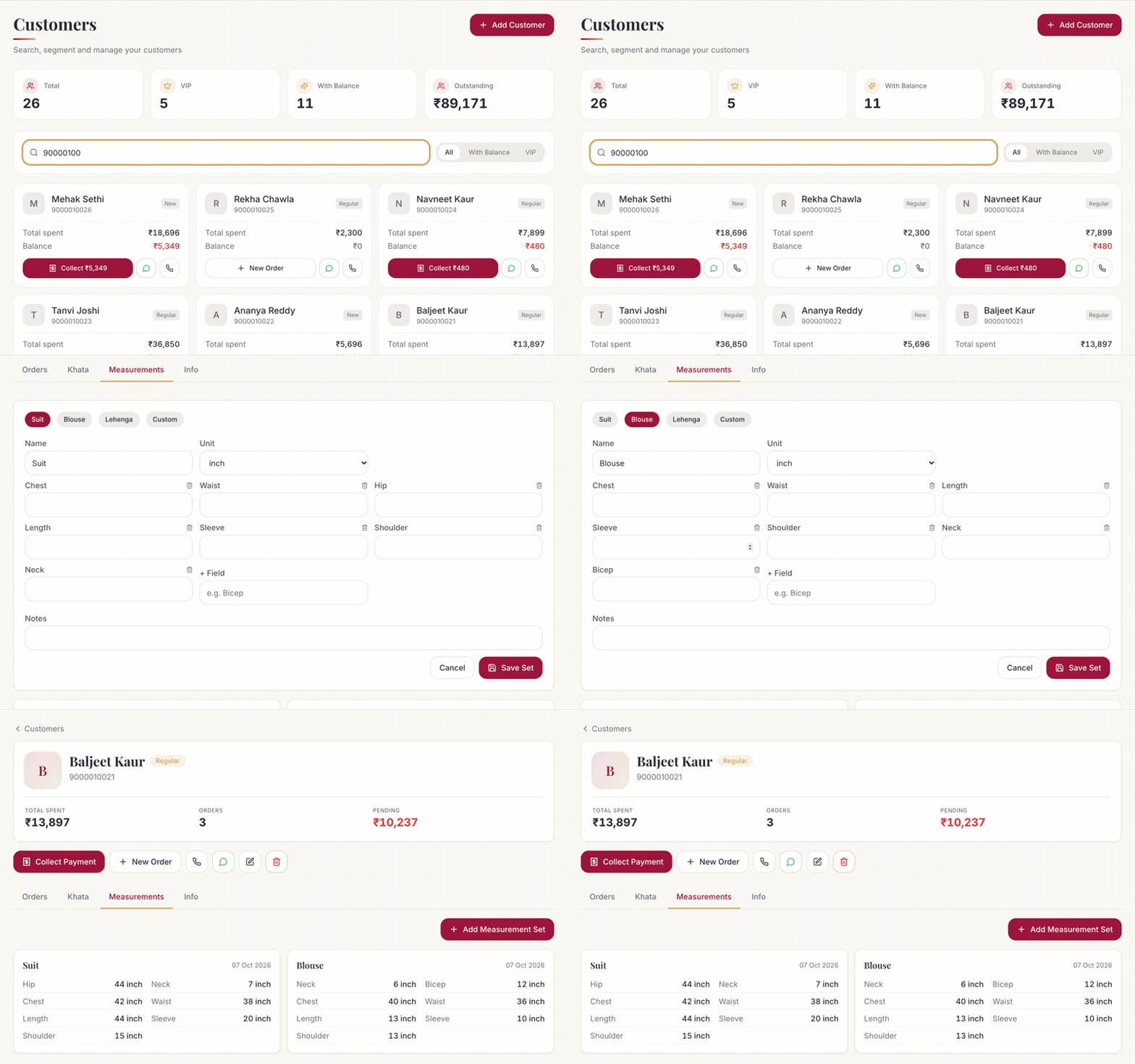
Search the customer by phone or name. Their measurements, orders and khata are all on one page.
- SBKarigars see them too
Karigars see them too
On the tailor's phone, each suit shows the customer's saved measurements and the design photo. No slip to pass around.
How it flows
How it works
Takes less than a minute at the counter.
- 1
Search the customer
Type their phone number, or add them as new.
- 2
Pick a template
Suit, Blouse or Lehenga, or your own set.
- 3
Fill and save
Enter the numbers, choose inch or cm, add a note.
- 4
Book the order
The measurements are already with the customer.
- 5
Karigar sees them
They open the suit on their phone and start work.
Which plan has it
Plans and availability
Measurements
Included in every plan, at no extra cost. Your 14-day free trial has everything switched on.
Compare plans and pricesCommon questions
Keep every measurement safe, forever
14 days with every feature switched on. No card needed. Set up your shop in a few minutes, and we're on WhatsApp if you need a hand.